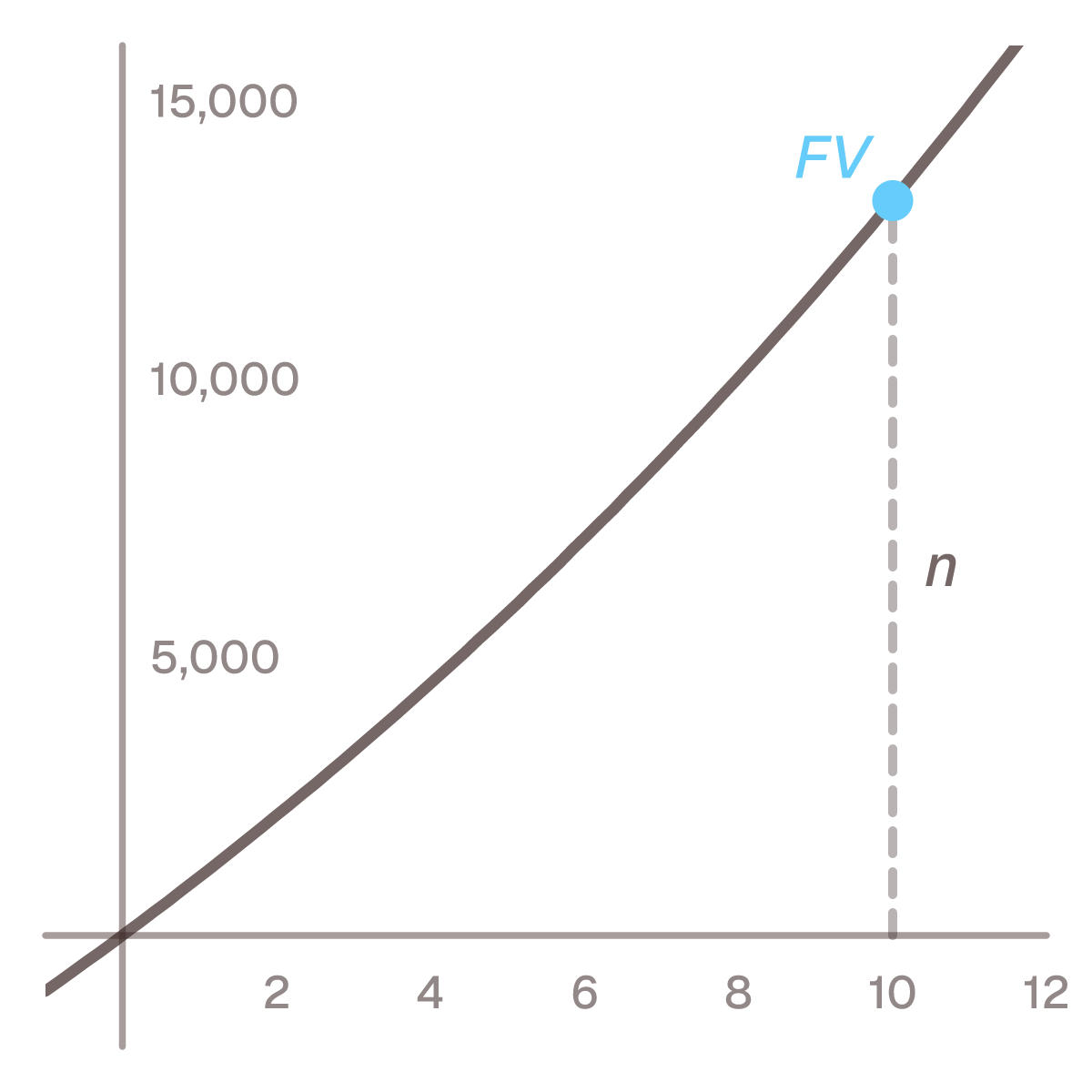
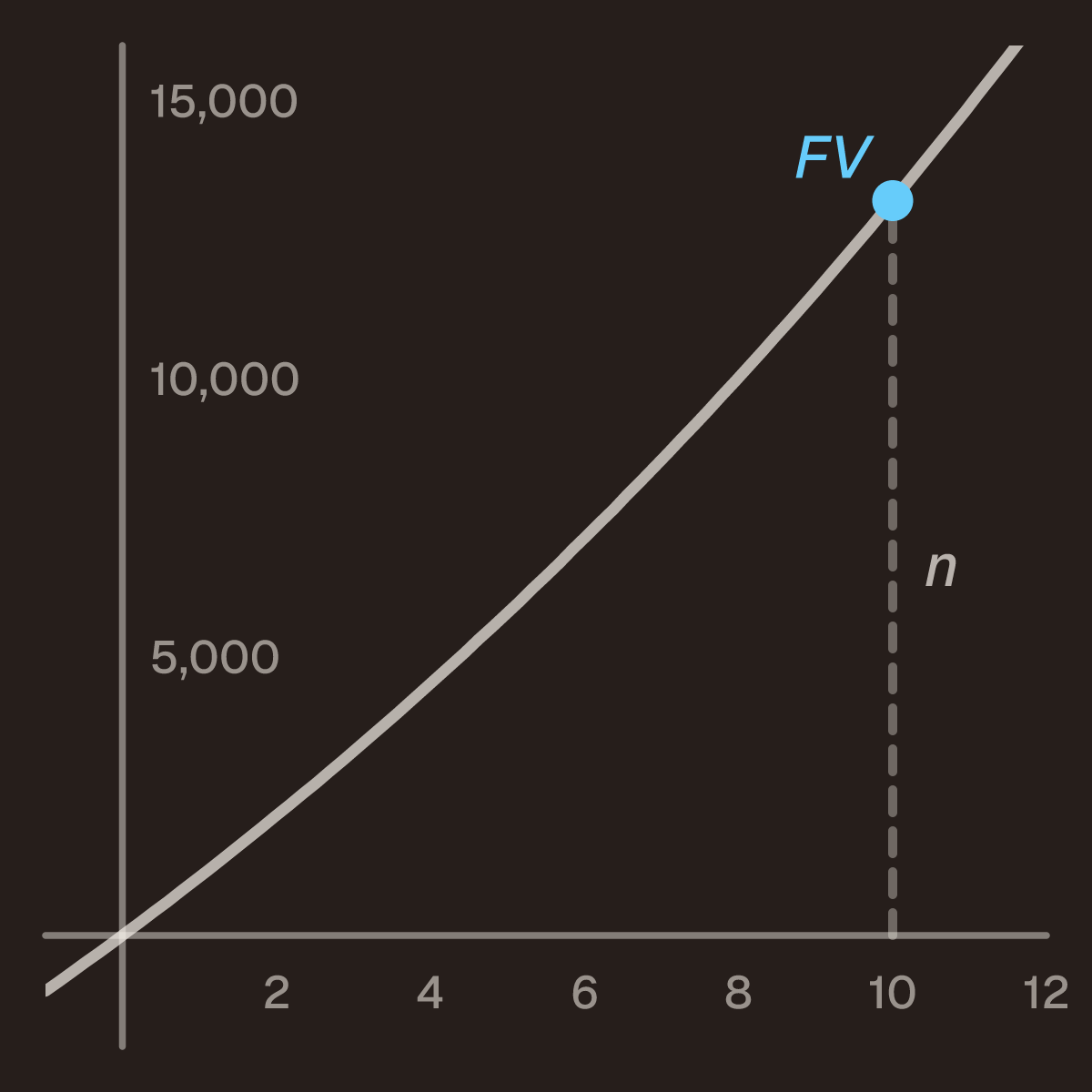
- FV = PMT · ((1 + r/100)ⁿ − 1) / (r/100) · (1 + r/100)
where PMT is the deposit per period, r the interest rate per period in per cent, n the number of
periods and FV the future value at the end of the last period. An annuity due is a series of equal
payments made at the start of each period; an ordinary annuity pays at the end.
Holds when the deposits are equal, the rate is the same every period, and the rate’s period is the same
as the period between deposits.
Everything up to the last · (1 + r/100) is the ordinary savings formula, with each deposit at the end of
its period (monthly saving for a goal writes it
with the rate as a decimal, r/100). Paying in at the start gives every deposit one more period to grow,
so the whole sum is (1 + r/100) times larger.
Worked examples
Three years, checkable by hand. 1,000 at the start of each year for three years at 10%. The first
deposit grows for three years, the second for two and the third for one:
- 1,000 · 1.1³ + 1,000 · 1.1² + 1,000 · 1.1 = 1,331 + 1,210 + 1,100 = 3,641
The formula gives the same number: 1,000 · (1.1³ − 1)/0.1 · 1.1 = 1,000 · 3.31 · 1.1 = 3,641. With the
deposits at the end of each year it is 1,210 + 1,100 + 1,000 = 3,310, and 3,310 · 1.1 = 3,641.
Ten periods. 1,000 at the start of each period for ten periods at 5% per period:
- FV = 1,000 · (1.05¹⁰ − 1)/0.05 · 1.05 ≈ 13,206.79
The same deposits at the end of each period come to 12,577.89. The difference, 628.89, is 5% of
12,577.89: one period’s interest on the whole sum.
Start or end of the period
That is the only difference between this formula and the ordinary one, and it is easy to miss because
the question rarely states it. A deposit taken the day after payday, at the start of the month, is an
annuity due. The ordinary savings formula, and the calculators on this site, assume the end.
| Periods |
End of period |
Start of period |
| 1 |
1,000.00 |
1,050.00 |
| 5 |
5,525.63 |
5,801.91 |
| 10 |
12,577.89 |
13,206.79 |
| 20 |
33,065.95 |
34,719.25 |
| 30 |
66,438.85 |
69,760.79 |
1,000 per period at 5% per period. The ratio between the columns is 1.05 on every row.
The other unknowns
The card at the top of the page solves for any of the four. The deposit is a division:
PMT = FV / (((1 + r/100)ⁿ − 1)/(r/100) · (1 + r/100)). The number of periods takes a logarithm,
because n sits in an exponent:
- n = ln(1 + FV · (r/100) / (PMT · (1 + r/100))) / ln(1 + r/100)
At 1,000 per period and 5%, reaching 20,000 takes 13.7 periods, so 14 deposits. The rate has no
rearrangement, for the same reason as the ordinary savings formula: the equation has degree n in the
rate. The card searches for it.
If you want what the same deposits are worth today rather than at the end, that is the
present value of an annuity due.
Common mistakes
- Using the ordinary formula for deposits at the start of the month. The answer comes out one
period’s interest short. Multiply by
(1 + r/100).
- Multiplying by
(1 + r/100) twice. The extra factor comes once, because each deposit moves by one
period. A book formula that already writes (1 + r)ⁿ⁺¹ − (1 + r) in the numerator has it built in.
- Mixing an annual rate with months. Saving monthly,
r has to be the rate per month and n the
number of months. 6% effective a year is about 0.487% a month, not 0.5%.
- Typing the per cent as a decimal, or the other way round. The formula has
r/100 in it. Typing
0.05 where it expects 5 makes the rate a hundred times too small.
Questions people ask
What is the difference between an annuity due and an ordinary annuity?
Only when the payments are made. An annuity due pays at the start of each period, an ordinary annuity at
the end. Monthly saving for a goal and the
annuity formula for loan payments are ordinary
annuities.
How does this relate to the geometric series?
The future value is the sum PMT · k + PMT · k² + … + PMT · kⁿ with k = 1 + r/100, a
geometric series whose first term is
PMT · k and whose ratio is k. The series formula gives PMT · k · (kⁿ − 1)/(k − 1), and k − 1 is
r/100.
What does a spreadsheet’s FV function use?
FV(rate, nper, pmt, pv, type) in Excel, LibreOffice and Google Sheets takes a last argument for the
timing: 0 or left out for the end of the period, 1 for the start. The rate is a decimal there, and the
result comes back negative when the payment is typed as money going out.