Download everything Screenshots, logo files and the sample worksheets in one zip file, 3.6 MB.
LoveToCalc in brief
One sentence. LoveToCalc is a free site of calculators and a formula collection in English and Swedish, where teachers can print a worksheet with an answer key for any formula.
One paragraph. LoveToCalc brings calculators for money, business and everyday life together with a formula collection for maths, physics and chemistry. Every formula has its own page that solves for whichever quantity is missing and shows the working, exercises that are marked as they are answered, and a button that makes a printable sheet with its key. Everything is calculated in the browser, there are no accounts, and every calculation can be shared as a link.
Half a page. LoveToCalc is made and run by Carl Magnus Swahn. The site began on 15 September 2026 as a set of calculators for concrete questions — compound interest, loans, VAT, margin — and has since grown a formula collection covering most of secondary-school maths, physics and chemistry.
What sets it apart from an ordinary formula book is that every formula can be used. The formula page solves for the quantity you are missing and shows each step with your own numbers. Below the formula are exercises that are marked when you answer and that show the solution when you get one wrong. And from the same formulas the worksheet generator makes worksheets: a teacher picks the formulas, the level and the number of questions, and gets a student sheet and an answer key to print, with new numbers every time. The whole collection is also published as a PDF laid out as a book for printing, in editions.
The site is free and has no accounts. What you type stays in the page address and is calculated in your own browser, so a calculation can be sent to a student, a colleague or a client as an ordinary link.
Why the site exists
I want to help more people find their teaching easier to follow, and more people find maths fun. If the site gives a single person better help with maths than they would otherwise have had, I am glad.
— Carl Magnus Swahn
That is why every formula shows its working with your own numbers instead of only an answer, and why the exercises show the solution when you get one wrong. A formula you can follow step by step is a formula you can understand.
Figures
- Formulas in the collection
- 1,052
- Formulas that can go on a worksheet
- 664
- Ready-made worksheets
- 58
- Calculators
- 49
- Tools, such as the scientific and graphing calculators
- 49
- The printable formula collection
- Edition 6, October 13, 2026
- 908 formulas
- Languages
- 2
Counted from the site itself when this page was built, November 11, 2026.
Timeline
- 15 September 2026 — The project starts, with the scientific calculator.
- 16 September 2026 — The site goes live.
- 18 September 2026 — Exercises, marked as they are answered, on the formula pages.
- 19 September 2026 — The formula collection is published, with the worksheet generator and printable worksheets with answer keys.
- 22 September 2026 — The derivative calculator, which shows the differentiation rules step by step.
- 23 September 2026 — The graphing calculator, and the formula collection as a PDF in its first edition.
- 24 September 2026 — Editions 2 and 3 of the PDF, and derivative exercises with the chain rule.
- 25 September 2026 — The APR calculator, following the EU method for consumer credit.
Images
The screenshots are taken by a script, with the same calculation every time, and may be used freely in writing about LoveToCalc. A credit line of Image: LoveToCalc is welcome.

The compound interest calculator, one of the everyday money calculators.
Download PNG, 335 kB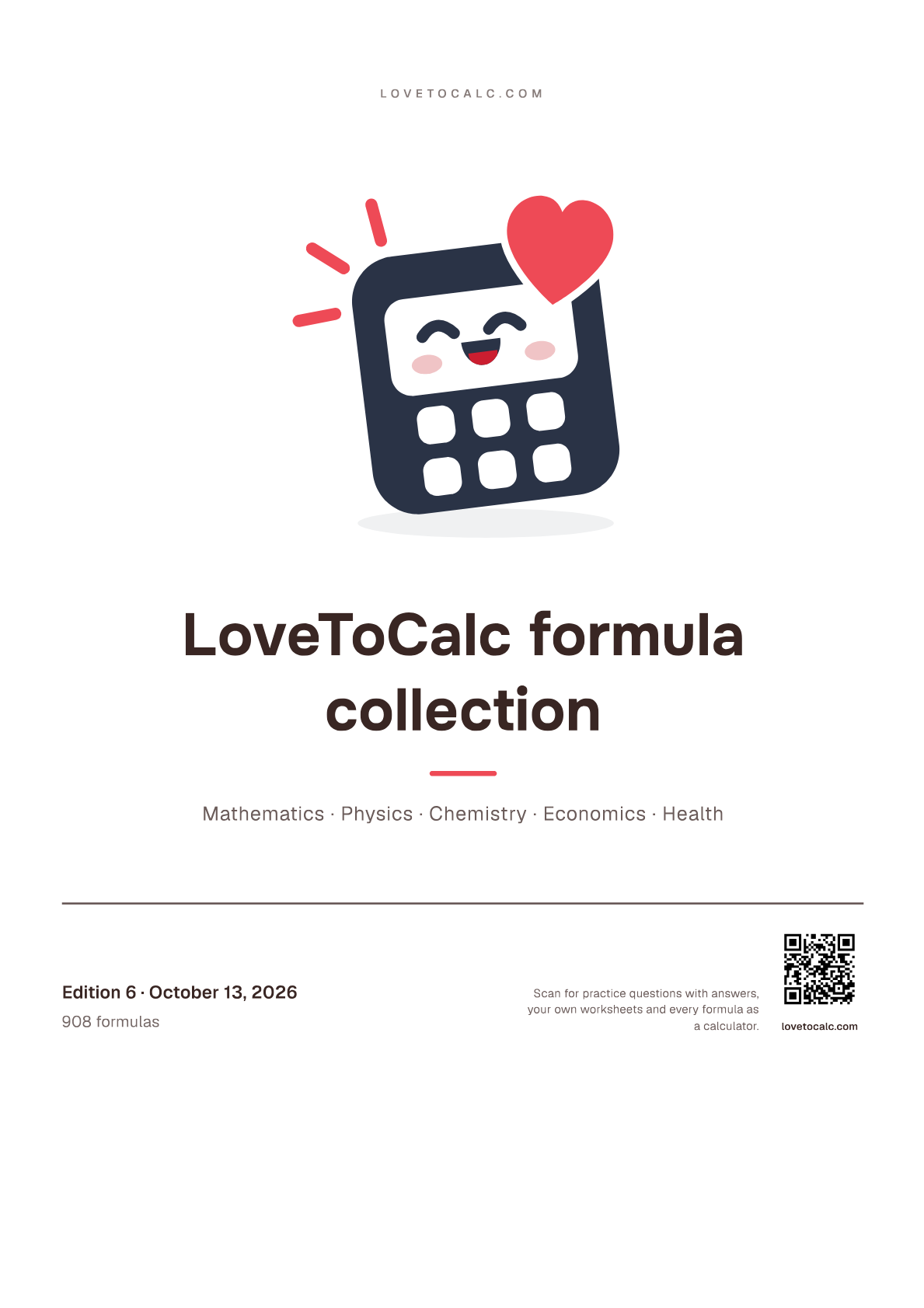
The cover of edition 6 of the formula collection as a PDF, with edition, date and formula count.
Download PNG, 153 kB
An exercise on a formula page, answered wrong, with the worked solution open.
Download PNG, 126 kB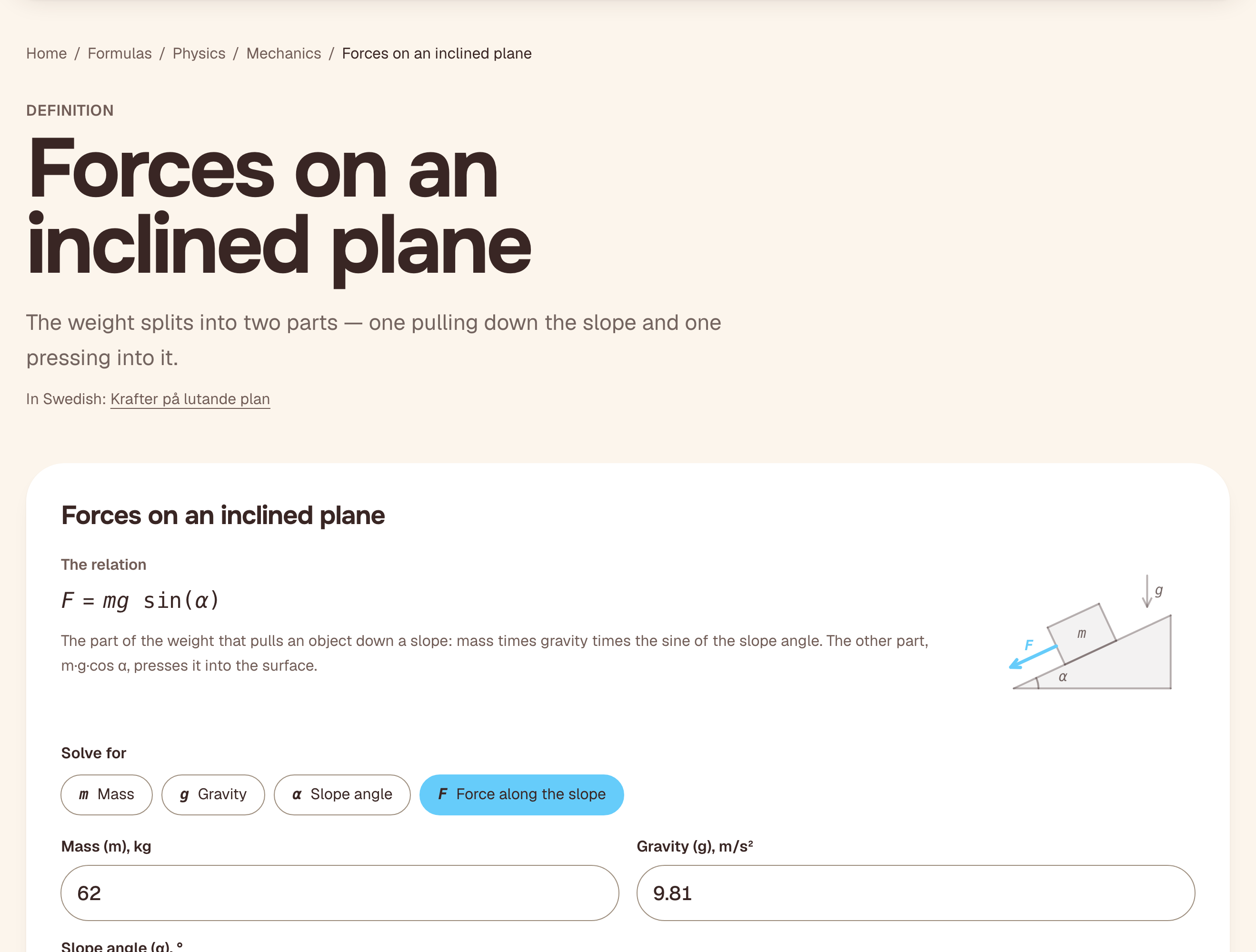
A formula page with its figure: the forces on an inclined plane, solved from mass, gravity and slope angle.
Download PNG, 240 kB
The front page of the formula collection, with the ways in to the formulas, the sheets and the PDF.
Download PNG, 294 kB
The graphing calculator with a function and its derivative.
Download PNG, 300 kB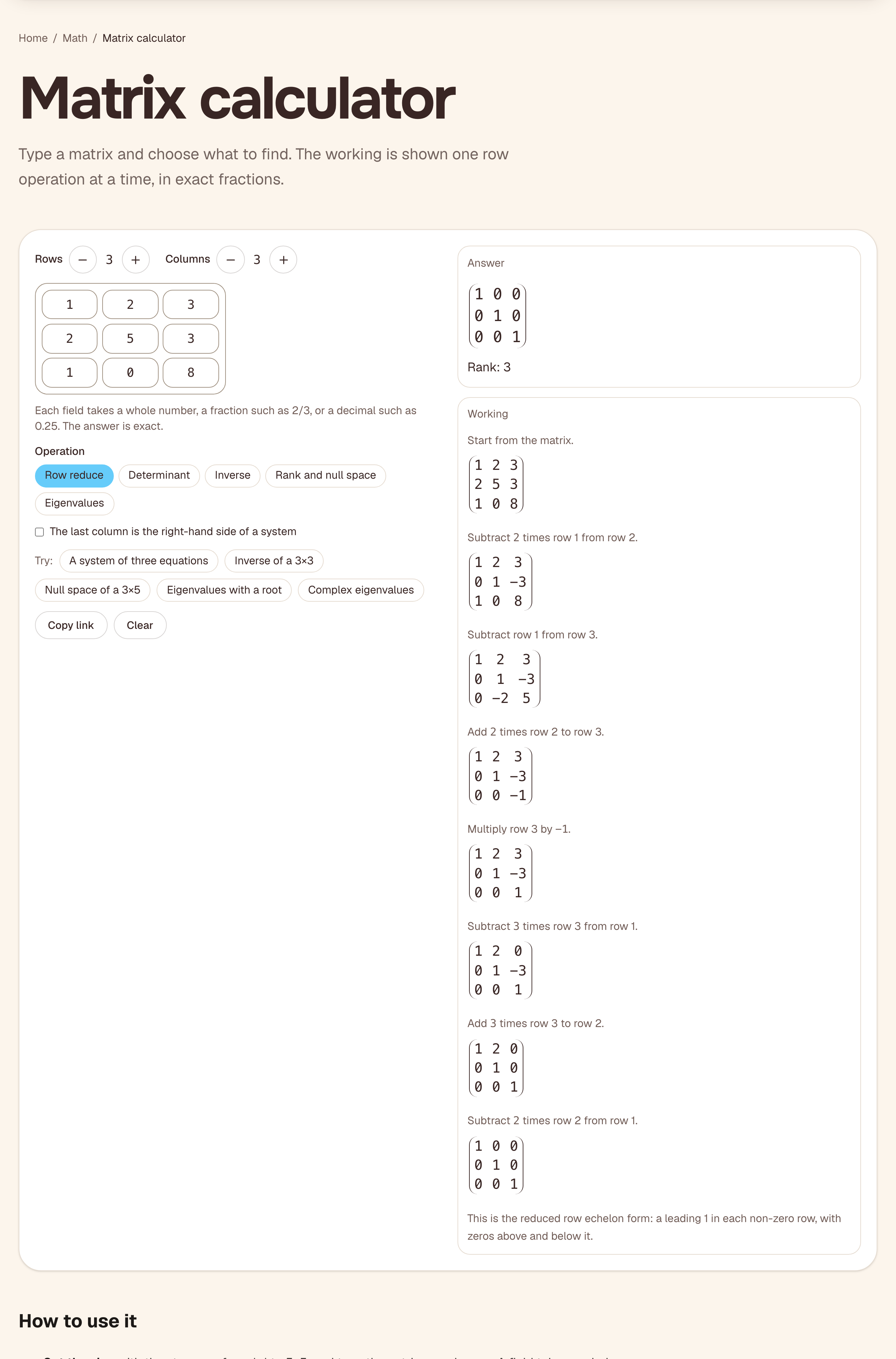
The matrix calculator reducing a 3×3 matrix to the identity, one row operation at a time.
Download PNG, 435 kB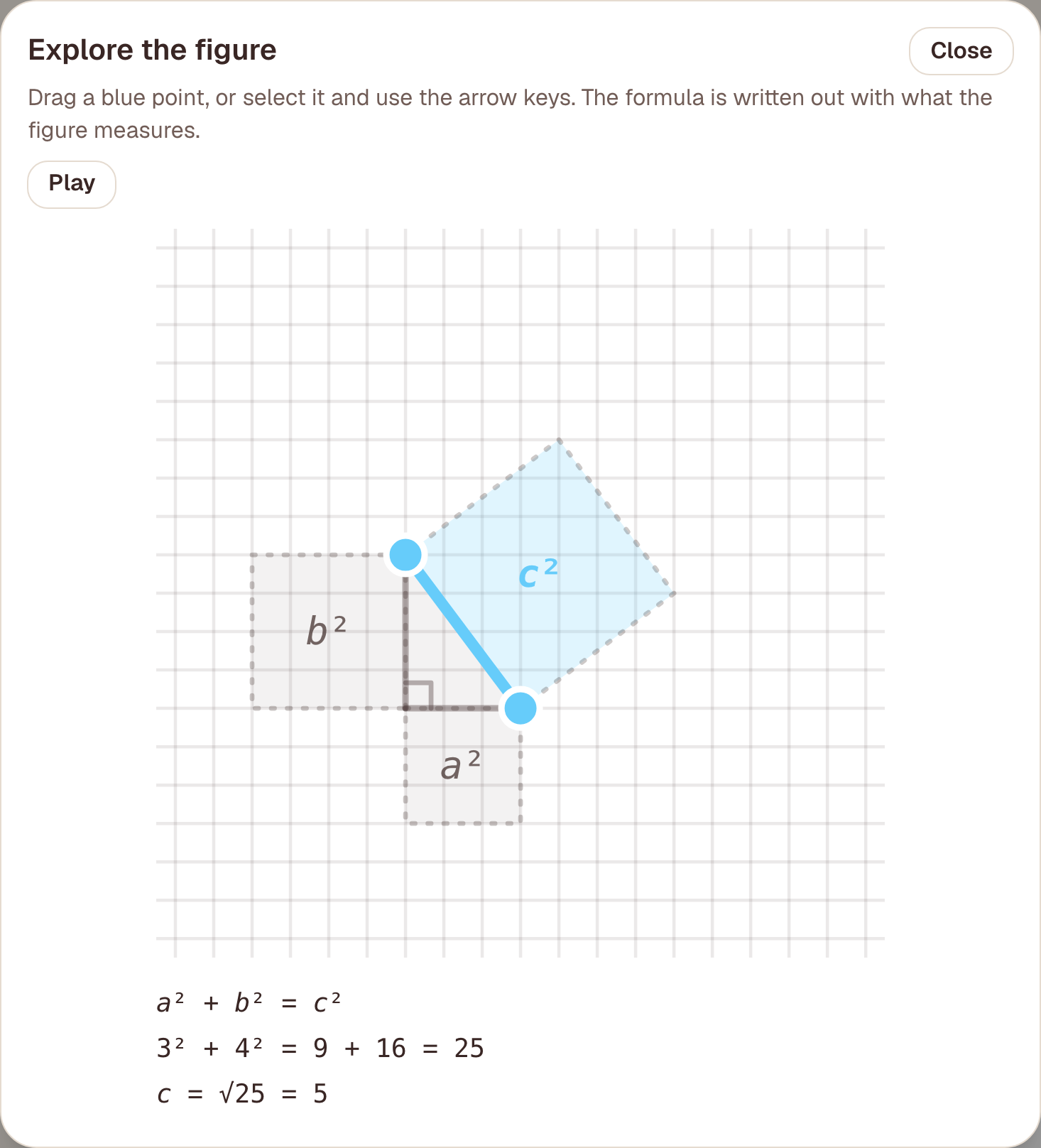
The “Explore the figure” view on the Pythagoras page: drag a corner of the triangle and the three squares and the sum follow.
Download PNG, 100 kB
Pythagoras’ theorem: the formula page solves for any side and shows the working.
Download PNG, 166 kB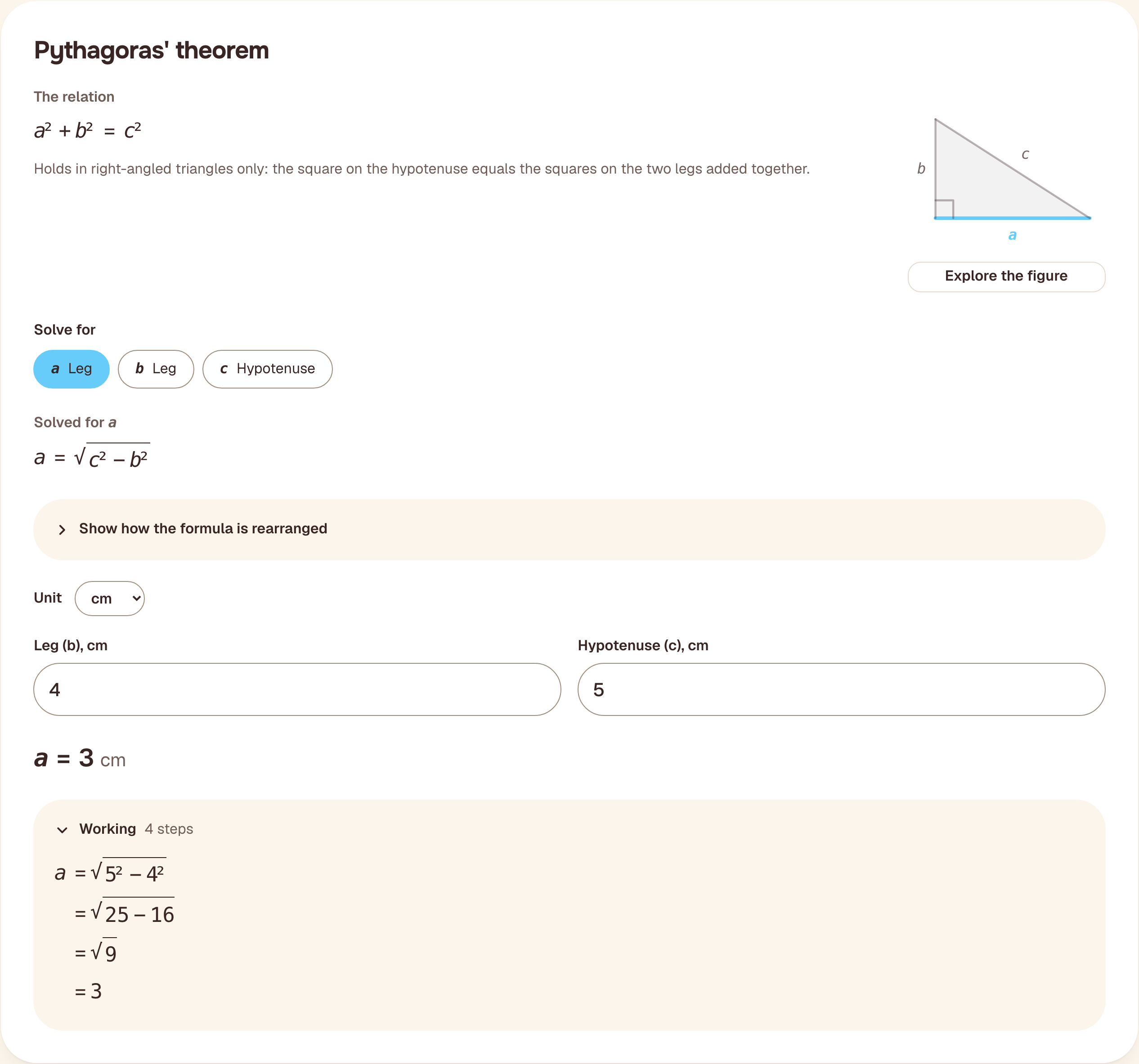
The Pythagoras card solved for a leg instead of the hypotenuse, with the working open step by step.
Download PNG, 169 kB
The scientific calculator with a calculation that can be shared as a link.
Download PNG, 305 kB
The worksheet generator: pick formulas, level and number of questions, and print a sheet with its answer key.
Download PNG, 320 kB
On a phone. Pythagoras’ theorem: the formula page solves for any side and shows the working.
Download PNG, 202 kB
Portrait

Carl Magnus Swahn. Photo: private. Free to use in writing about LoveToCalc.
Download JPEG, 2745 × 3660 px, 991 kBThe logo

The mark as the site header draws it, on a transparent background.

The mark with a white edge, for dark or busy backgrounds.

The mark with the name, for light backgrounds only.


Three finished worksheets
One for lower secondary, one for upper secondary and one for physics. Each comes as a student sheet and an answer key, and the sheet’s own page makes another with different numbers.
- Pythagoras' theoremStudent sheet (PDF, 160 kB)Answer key (PDF, 91 kB)Make the same sheet with new numbers
- Derivatives with the differentiation rulesStudent sheet (PDF, 109 kB)Answer key (PDF, 100 kB)Make the same sheet with new numbers
- Ohm's law and electric powerStudent sheet (PDF, 117 kB)Answer key (PDF, 85 kB)Make the same sheet with new numbers
What the site does that a formula book does not
Link to an exact calculation. Everything entered into a calculator goes into the page address. Whoever opens the link sees the same numbers and the same answer, with no account and nothing stored on our side. An article can link straight to the example it describes.
Put a calculator in an article. Every calculator has embed code on its page: one line of code to paste, and the calculator sits in the text and works as it does on the site.
The sources are shown. Where a calculator rests on regulations, such as the APR calculator, the page says which rules they are, where they come from and when the values were last checked.
Angles
The teacher. A teacher who wants a sheet of ten Pythagoras questions with a key does not have to search, type or calculate — only choose the formula and print. With new numbers every time, the sheet is not an exercise in copying the neighbour’s answers either. Start at the worksheet generator.
Personal finance. The compound interest and APR calculators show the formula they use, and the calculation can be shared.
Physics. The formula collection is as much physics and chemistry as it is maths: motion, energy, electricity, pressure. Same pages, same exercises, same sheets.
How it is built. LoveToCalc is built by one person with the help of AI, and says so openly — it is listed on Vibekollen, the Swedish showcase of AI-built projects. The question an AI-built maths site should be asked is whether its answers are right, and the answer is under the next heading.
How the content is checked
Every formula and every calculator has automated tests with reference values, and the site is not published if a test fails. The algebra of the formulas — every way of solving for a quantity — is checked against known answers. Values that come from regulations cannot be entered without a source and the date they were checked, and the page shows both. The reference values come from worked examples and sources, never from the site’s own engine, and since October 2026 every formula is also tried against thousands of wrong variants of itself, with one operation or constant swapped: the reference values must expose every such change. The first run found no wrong formula, but 59 reference values that could not have exposed one, and they were replaced. The formulas’ rearrangements, the identities, the derivatives’ and integrals’ answers and the equation solvers’ roots are also checked against two independent computer algebra systems, SymPy and Maxima.
What is still missing is review by working teachers. The content is tested, but it has not been tried in a classroom by anyone other than the person who built it. Anyone who finds an error can reach the author through the contact details at the bottom of this page.
Frequently asked questions
What does it cost? Nothing. The formula collection, the exercises and the sheets carry no ads.
Do teachers or students need an account? No. There are no accounts at all.
What is stored about the people who use it? What you type stays in the page address and is
calculated in the browser; it is not sent to us. The site sets one cookie, lang, which remembers the
language choice for a year, and keeps one setting in the browser: which decimal mark you prefer. Visits
are counted with Cloudflare Web Analytics, which uses no cookies.
Does it show the working or only the answer? The working. The formula pages, the derivative calculator and the exercise solutions show the steps with the numbers you entered.
How do students get new numbers? Every new sheet from the generator has new numbers, and the exercises on the formula pages give a new round of questions when asked.
Does it work on phones and Chromebooks? Yes. The site is an ordinary web page and nothing needs to be installed.
Is it built with AI? Yes, by one person with the help of AI. How the answers are checked is described above.
Who is behind it? Carl Magnus Swahn, who also made the maths games Math Racer and Math Bubble Pop. There is more on the About page.
For journalists
Calculators to embed in an article, and the formulas behind numbers that often appear in the news, are on the page for journalists.
Contact
Until the site has a press address of its own, the author is easiest to reach on LinkedIn.